Assignment 1
Michalis Marcoux
SYN Flood on Port 80
A SYN Flood refers to when the malicious actor attempts to initiate many connections without any intention of using them. The SYN signal is that of the initial request to the server, with the actor deliberately ignoring the server’s response, and not sending the final ACK signal to confirm an established connection. In this way, the attacker is capable of opening and expending all of the victim’s sockets whilst expending trivial amounts of computational power.
Suricata was able to detect the flood, however it did not seem to explicitly mark it as a flood.
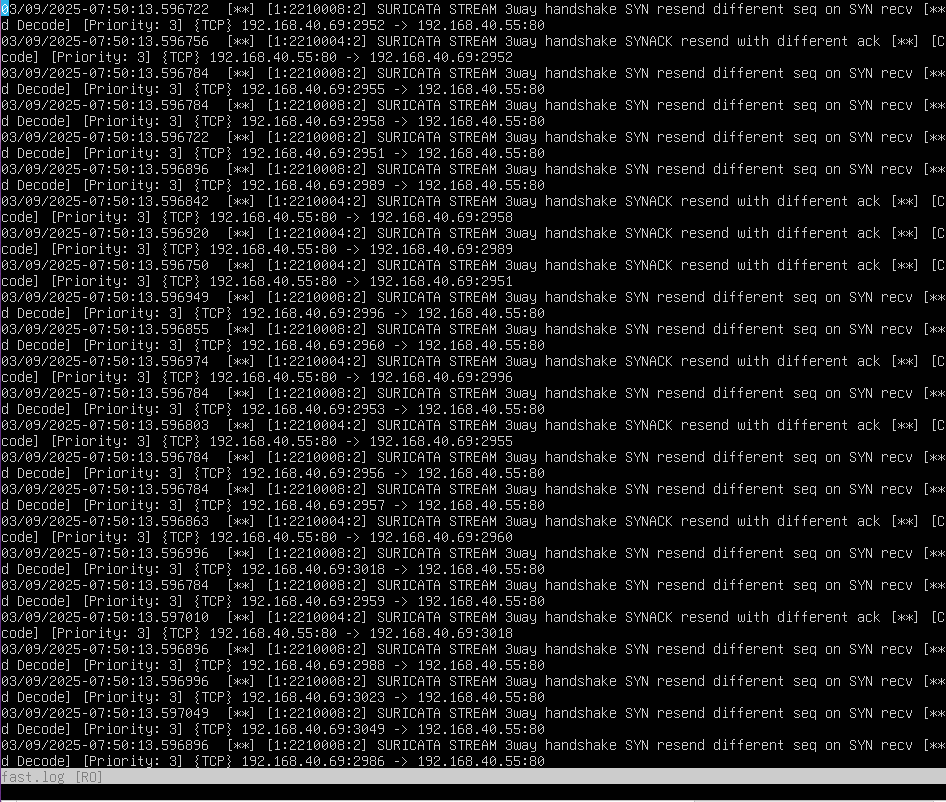 Flood on 80
We see that the SYN signal was detected, and that Suricata is attempting to resend the SYNACK signal as the waiting time for the ACK signal has elapsed. Due to the nature of the attack, these logs are numerous, and yet it seems that Suricata does not identify this as an attack. This could very well be due to the requests originating from within the local network, but assuming that all requests from within the local network are amicable is quite an oversight for an IDS or IPS - and should definitely not be default behaviour.
Upon researching configurations of Suricata, a Github repository was found, containing a ruleset and instructions to make Suricata capable of detecting an succinctly identifying such attacks. With this and another article it became very apparent that it was indeed a part of the default rules, to trust local traffic. In order to solve this the command used to initiate the attack was altered:
sudo hping3 -S --flood -V -p 80 --rand-source XXX.XXX.XXX.XXX
This produced the expected result1:
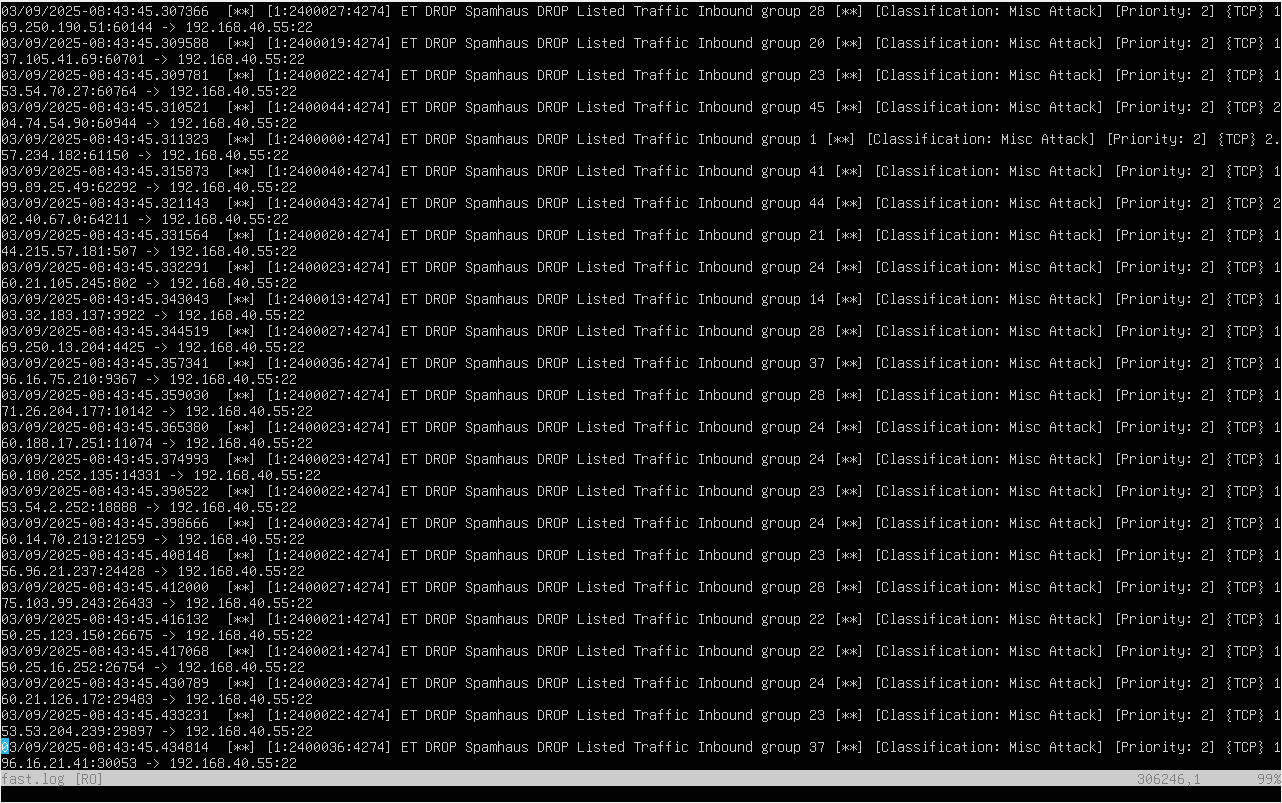 Port 80 flood detected
In terms of the CIA triad, this attack affects availability; with the server using all of its resources to tend to malicious traffic, it is unable to serve content or establish connections with genuine users. In this case, the server’s ability to simply communicate with any other device is being hampered if not completely disabled.
Upon the successful detection of this attack, Suricata acted to prevent the threat from affecting the system; namely by dropping the connections and blacklisting the IPs.
ICMP Flood
This is an attack that is very similar to the previous one; both are attempting to flood the server with requests that drain its ability to respond to genuine users. As such, it targets the availabilty part of the triad, in exactly the same way. The only difference is the slightly different nature of the attack. Whereas the SYN signal is part of TCP, and thus on the transport layer of OSI, ICMP is part of network layer.
The same issue, for the detection of the attack, occured when executing the simulated attack. It was solved in the same way:
sudo hping3 --icmp --flood --rand-source XXX.XXX.XXX.XXX
Suricata successfully detected this attack:
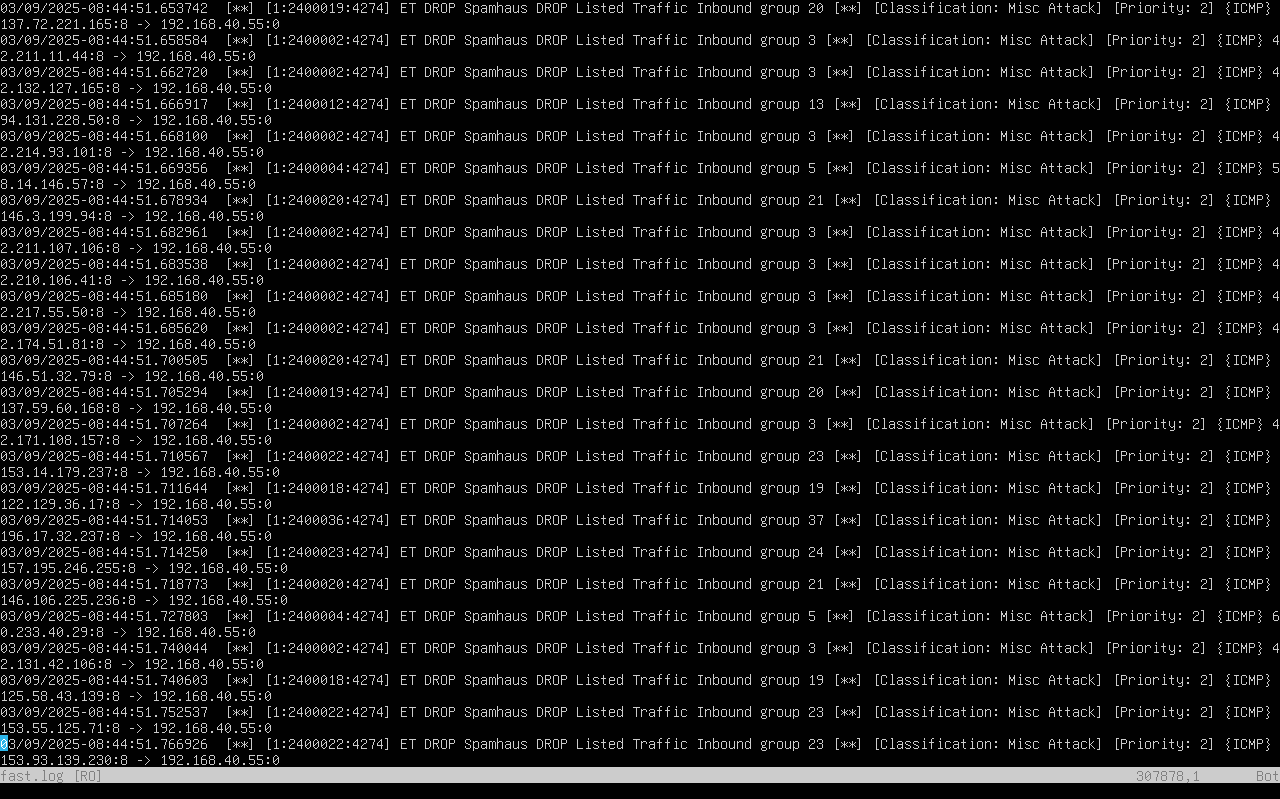 Suricata icmp flood detected
Serving its role properly, it employed the same measures to deal with the attack: ignoring the packets and blacklisting the IPs.
Port Scanning with Nmap
Nmap is a tool for scanning open ports on a system, and thus it can be used to determine the potential attack surface of that system, as well as the services that could be running on it, e.g. Port 22 is usually allocated to sshd. This reconnaissance does not directly link to any one of the pillars of the CIA triad. It does not reveal any information that is not already publicly available (confidentiality), nor does it alter any part of the victim’s system (integrity), nor does it prevent genuine users from interacting with the system (availability). However, reconnaissance’s purpose is to provide a malicious actor information in order to conduct possible future attacks, though it is not an attack in and of itself.
Initially, in the same way as the prior attacks, there was no detection of the attack by Suricata. In fact, the logs did not even show that any traffic had come to the server. The command to call nmap was altered to make use of decoy scanning:
sudo nmap -D RND,RND,RND,RND -sS -p- 192.168.40.55
This again resulted in the correct detection of the traffic as malicious:
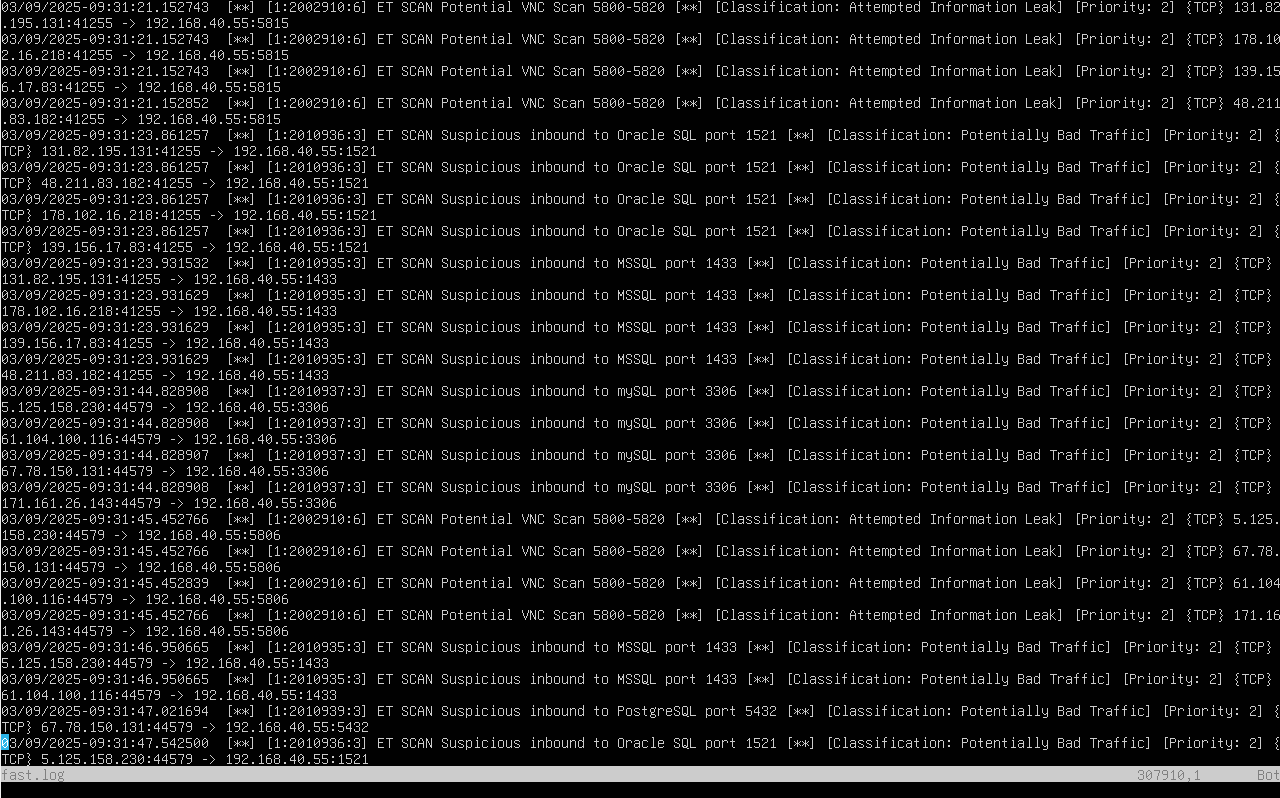 Nmap scan detected
It can be seen that not only was Suricata able to identify the scan, it was also capable of providing specific information about certain ports with typical associations, i.e. Flagging traffic to port 1433 as being related to MSSQL - making the attack potentially more than just a simple scan.
Nmap scan detected
It can be seen that not only was Suricata able to identify the scan, it was also capable of providing specific information about certain ports with typical associations, i.e. Flagging traffic to port 1433 as being related to MSSQL - making the attack potentially more than just a simple scan.
It is very difficult for Suricata and any IDS/IPS to deal with this type of information gathering, as it could be benign or proper behaviour from users.
Directory Traversal on an HTTP server
This attack targets the confidentiality of a system, as it attempts to retrieve information from a system that is not meant to be accessible to the public. This is done by attempting to exploit a poorly configured HTTP server, sending a request for the /etc/passwd file of the server by using the parent directory syntax (../). In this case, the server would be giving the attacker a list of all of the passwords for every user on the system, most importantly that of the root user; which they could then use to conduct further attacks - likely affecting the integrity part of the triad.
Suricata detected the attack successfully:
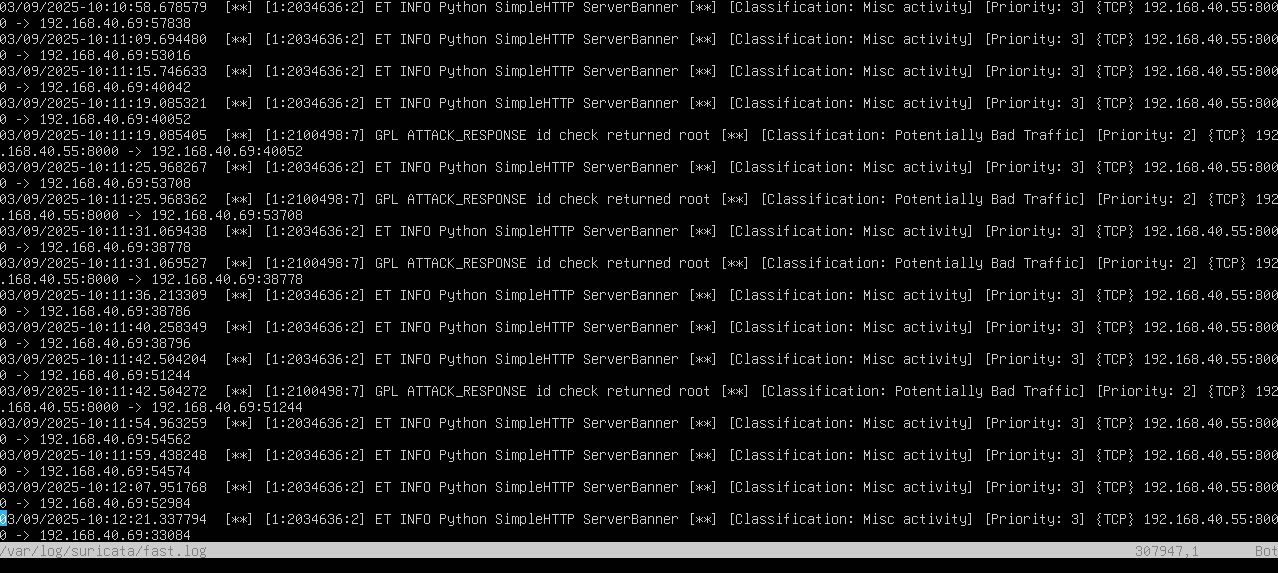 Directory traversal detected
An IDS/IPS should, in order to mitigate the leak of such critical information, flag any traffic that returns files outside of a home directory as malicious and prevent the response from going through. In the above example, Suricata acted as just an IDS, flagging the traffic after it noticed that the contents of the response were suspicious but not blocking the response.
Malicious File Download
A malicious file download targets the integrity of a system, as the file that is retrieve, when on the system, could have detrimental effects when run. Simply put, the “attack” is the user downloading a file, hopefully by accident, whose contents are malicious in nature, e.g. A harmful bash script.
Suricata successfully detected the malicious download (with the same flag as earlier):
 Suricata detects malicious file download
In the event of a malicious file download, it would be necessary for an IDS/IPS system to both flag the event as suspicious and prevent the download itself. The latter part would prove to be very tricky, and would likely be performed by removing the file after its download rather than identifying that its contents are malicious whilst it is being streamed an decompressed onto the system.
Unless the lack of proper detection was due to my poor configuration of the system, which may be likely, it is suggested that the instructions for the first assignment be amended.